7MS #321: Interview with Joe Klein - Part 2
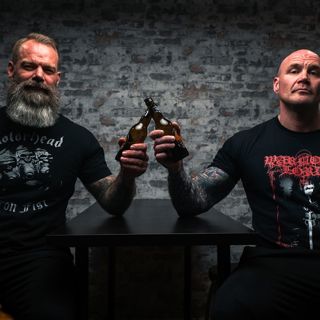
Today's episode is brought to you by ITProTV. Visit itpro.tv/7ms and use code 7MS to get a FREE 7-day trial and 30% off a monthly membership for the lifetime of your active subscription. Today's episode is a follow-up interview with Joe Klein, who is my good pal, a former coworker, and a SOC analyst extraordinaire. You might remember Joe from things such as...this podcast - episode #290 to be exact. When we last left Joe, he had just started an exciting new journey as a SOC analyst, and also picked up a new sweet gig teaching college-level security courses. So Joe and I sat down last week in the 7 Minute Security studios to talk with Joe about: How to be an absolute beast at networking Seizing new opportunities (even if it seems scary) Good certs for security newbs (and not-so-newbs) to pursue Life as a SOC analyst How to learn security by teaching it! This interview was an absolute blast to work on with Joe, and after it was over, neither of us could believe that the run time was nearly 2 hours! So in order to help you navigate the episode and have the best listening experience possible, we created the following "Choose Your Own Adventure" timeline with the high (and low?) discussion points of the interview. Enjoy! (Interview timeline available on 7MS under episode #321)
1 Elo 20181h 47min
7MS #320: Interview with Lane Roush of Arctic Wolf
Today's episode is brought to you by ITProTV. Visit itpro.tv/7ms and use code 7MS to get a FREE 7-day trial and 30% off a monthly membership for the lifetime of your active subscription. This week I sat down with Lane Roush of Arctic Wolf to discuss the big hairy beast that is...(insert dramatic music here) logging and alerting! I work with a lot of clients (and you probably do too) who want answers to these questions: What in the world is going on in my network? How will I know if bad stuff is happening? If I do identify the bad stuff and attempt to eradicate it, how will I know if I've exorcised all the demons? So Lane and I sat down to discuss this conundrum, and explore answers to other burning questions like: Why is it so hard to separate the signal from noise when trying to figure out what's happening in the bowels of your network? Should logging/alerting be a full-time job for one or more people? When does it make sense to outsource these responsibilities? Check out today's interview to learn more, and also reach out to Arctic Wolf on their Twitter or LinkedIn for more information.
25 Heinä 20181h 3min
7MS #319: Sniper and Firewalls Full of FUD
Today's episode is brought to you by ITProTV. Visit itpro.tv/7ms and use code 7MS to get a FREE 7-day trial and 30% off a monthly membership for the lifetime of your active subscription. In today's episode, I talk about my fun experience using the Sn1per automated pentesting tool. It's really cool! It can scan your network, find vulnerabilities and exploit them - all in one swoop! It also does a nice one-two punch of OSINT+recon if you feed it a domain name. And, I tell a painful story about how a single checkbox setting in a firewall cost me a lot of hours and tears. You can LOL at me, learn from my pain, and we'll all be better for it.
20 Heinä 201818min
7MS #318: Interview with Bjorn Kimminich of OWASP Juice Shop
Today's episode is brought to you by ITProTV. Visit itpro.tv/7ms and use code 7MS to get a FREE 7-day trial and 30% off a monthly membership for the lifetime of your active subscription. This week's show is another interview episode - this time with my pal Bjorn Kimminich of the OWASP Juice Shop. If you've never heard of the Juice Shop before, it's the world's most secure (and I mean that sarcastically) online shopping experience. Actually, it's chock full of security issues, which makes it a fantastic learning tool for Web app pentesters, be they seasoned or total newbs. Bjorn and I sat down (over Skype) to discuss: How the Juice Shop came to be The current status of application security (is it getting any better?!) Common vulnerabilities still found in today's Web apps Juice Shop being featured in Google's Summer of Code How dev teams can better bake security into their products What's next for the Juice Shop (hint: stay tuned after the episode is over for a hint on one new "feature") Bjorn has gone to great lengths to provide documentation about how to get up and running with a copy of the Juice Shop to begin your hacking. Personally I find it dead simple to follow Bjorn's instructions for spinning up a Docker container: docker pull bkimminich/juice-shop docker run --rm -p 3000:3000 bkimminich/juice-shop Should you find the Juice Shop to be a valuable tool, please be sure to ping Bjorn on Twitter to let him know. Be sure to follow the Juice Shop on Twitter as well. Psst...this account sometimes tweets coupon codes which can help you unlock certain challenges!
11 Heinä 20181h
7MS #317: Interview with Justin McCarthy of StrongDM
Today's interview features Justin McCarthy, CTO and cofounder of StrongDM, which offers both commercial and open source tools (like Comply) to help customers with SOC compliance. Justin schooled me (in a nice way) about a lot of things, including: What SOC and the various SOC types are all about What SOC compliance costs What to look for in selecting a good auditor Tools that can help companies make SOC compliance efforts go more smoothly
5 Heinä 201848min
7MS #316: How to Succeed in Business Without Really Crying - Part 3
In this episode I wanted to give you some cool/fun updates as it relates to 7MS the business! Specifically: A new member of the 7MS team (kinda!) The weird and varied projects I'm working on Upcoming podcast sponsors (probably in July) 7MS has a "real" office coming soon to the southern metro of MN (hopefully!)
28 Kesä 201822min
7MS #315: Creating a Personal DR Plan - Part 2
As a continuation of last week's episode I'm now making a bit of progress in finding a good backup solution that protects USB backups both at rest and when pumped up to the cloud. I mentioned I've been using BackBlaze for backups (not a sponsor), and they allow you to backup USB drives as long as they're connected at least once every 30 days. That's cool. However, many of my USB drives are not encrypted, and I want to protect myself in the off chance that someone breaks in and steals all my stuff while those unencrypted drives are connected. My BackBlaze backup PC is just a little dinky box running Windows 10 Home, so I don't have access to BitLocker. I was gonna drop the ~$100 for the Windows 10 Pro upgrade, but I coincidentally was doing an endpoint security product evaluation at the same time, and so I grabbed a copy of ESET's DESLock (also not a sponsor) because it was on sale. Where I'm stuck now is that the USB drives are unlocked, and yet for some reason BB can't properly back them up. I've got a ticket into their support folks, and will update you once we get to part 3 of this miniseries.
21 Kesä 201811min
7MS #314: Creating a Personal DR Plan
You probably create DR plans for your business (or help other companies build them), but have you thought about creating one for yourself? Yeah, I know it's grim to think about "What will my loved ones do to get into my accounts, backups, photos, social media accounts..." but it's probably not a bad idea to prepare for that (spoiler alert: we all die at some point). Today I talk about how I'm beginning to build such a plan so my wife can take over for my/our online accounts. This plan includes: A "here's how I run all our technology" Google doc with domains I have registered, their expiration date, what their function is, etc. A how-to guide on restoring data from our online backup solution Implementation of a password manager
13 Kesä 201815min