Podcast #1123: Sofabaton X1 Smart Remote Control

Podcast #1123: Sofabaton X1 Smart Remote Control

On this week's show Ara discusses the addition of some inexpensive acoustic panels to his recording room and we have a listener review of the Sofabaton X1 Smart Remote. We also read your emails and take a look at some of the week's news.

News:

Other:

Sonic Acoustics Panels
  • $25-30 for a 12 pack Hex Shape
  • 14" X 12" X 0.4"
  • No adhesive included.
  • Simple Installation

Amazon has plenty of acoustic panels to choose from including many with decorative prints. The entire treatment cost me $100.

Sofabaton X1 Smart Remote Control

I was looking for a product for my father-in-law to simplify the 3 remotes needed to control his TV, cable, and Roku. The Sofabaton is described on Amazon as "The most advanced X1 universal remote comes with a hub that can control most of your home entertainment devices. The powerful database is compatible with up to 500,000 IR & Bluetooth devices, From your TV, and gaming console, to your AV receiver and Blu-Ray, even your Philip Hue, Sonos Speaker." At the time of purchase it was $189.99. Here are my thoughts on the product.

Packaging / Presentation

The packaging was nicely done, similar to what you expect from a high end phone...each of the included components nestled neatly in their allotted spots.

Remote Description

The remote is narrow, about 2 " x 7 1⁄2 " long. It's a matte black finish all the way around with a slightly rubberized feel to it. The screen itself is relatively small - a little less than 2"x 1 1⁄2 . As you would expect with that size, the button layout is minimal. It has a scroll wheel - up, down, left, right - and basic buttons below such as volume, channel, etc. The buttons are lit for night viewing or a dark theater which is a nice feature. The included hub is a glossy black and about the size of a glass coaster or a deck of cards. Also included are 3 infrared blasters - one single and one with 2 blasters on 1 wire. Lastly, there is a power adapter for the hub and another USB-C cable to charge it.

Programming

Programming has to be done via the sofabaton app on your phone. You must link the hub and remote together, then add your devices. They are searchable if you don't know your model numbers. If you know your exact model, obviously that will speed things up. I didn't have to, but the Sofabaton remote can learn your device, or you can contact customer support and ask them to add your device if necessary. Once that is done, it will confirm your power configuration for that device. For example, does your device have a separate on/off switch. Once that is done you can add Activities , like Watch TV or Play Music. I made a "watch tv " activity. This macro turns on the TV, soundbar, and Roku to the correct input. After the commands are finished the remote controls the Roku and volume on the soundbar.

Performance

To summarize my experience, in a nutshell I must say there is a bit of a learning curve. I am used to using 3 different remotes. I know what I need to do. It took a while to get everything dialed in right. I had to experiment with the IR blasters and move them around to get a good signal to the device.

When syncing the Hub I needed to try again by re-pairing with the button on the back. Adding devices took a while. I thought it was stuck because upon loading a device, it seemed like I lost my wi-fi connection until I realized it was just loading all the device info. When you finish an activity and something doesn't work, there is an option on your app to repair it. You can reconfigure any of the buttons to do what you want them to do. I made one of the colored buttons on the bottom to go right to the TV sleep menu. After you make a change it'll sync to the remote.

After using it for roughly 2 weeks I feel more comfortable with it. I would get confused with the clicker wheel which in turn navigates the screen on the remote and the up/down left/right enter button in the middle which operates the device itself. The back arrow button at the top right that's for going back to activities, devices, or settings on the remote isn't easily reachable.

I also learned I cannot turn on my PS5 via bluetooth because Sony doesn't allow third party vendors to access it via bluetooth. There is a workaround by having the activity switch to the playstation HDMI input, which will turn it on. With my setup this isn't necessary because the controller turns it on anyway and it automatically switches.

Conclusion
I would say this isn't for everyone because there is a long set up process and many potential bugs/issues along the way. If you're easily frustrated, not willing to put in the time to set it up correctly and allow yourself an adjustment period, this is not the remote for you. With that said i think this remote IS for many people of the HDTV and Home Theater podcast family. It's a nice blend of "higher than average knowledge" of home theater, but not so high that you need a PHD in software engineering to figure it out. I hope this helps and I'd be happy to assist anyone if they have further questions.

Det här avsnittet är hämtat från ett öppet RSS-flöde och publiceras inte av Podme. Det kan innehålla reklam.

Avsnitt(843)

Podcast #1271: Consumer Reports HDTV Ratings

Podcast #1271: Consumer Reports HDTV Ratings

On this week's show we take a look at the consumer reports ratings for 70 inch and larger TVs. We also read your email and take a look at the week's news. News: Your Google Home can now take orders ...

25 Sep 36min
Podcast #1270: 2026 Network TV Season/Series Premieres

Podcast #1270: 2026 Network TV Season/Series Premieres

On this week's show we compiled a list of fall 2026 network TV season/series premieres for ABC, NBC, Fox, and CBS, organized by network and then by premiere date.  We also read your emails and take a ...

18 Sep 48min
Podcast #1269: Is Your LG Smart TV Listening to You? and Dolby AC4

Podcast #1269: Is Your LG Smart TV Listening to You? and Dolby AC4

On this week's show we look into an article that alleges LG's Smart TVs are listening in on your conversations even when the screen is off. We also do a quick rundown on what Dolby's AC4 is and where ...

11 Sep 36min
Podcast #1268: Ara's New Setup First Impressions

Podcast #1268: Ara's New Setup First Impressions

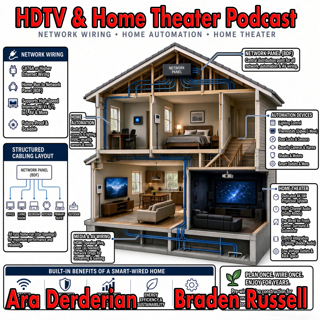
On this week's show Ara gives his impression of the new gear installed into his new home. We talk Internet, Home Networking, Automation, and Home Theater in an action packed show. We also read your em...

4 Sep 54min
Podcast #1267: Nick Brown and Smith Freeman of SVS Sound

Podcast #1267: Nick Brown and Smith Freeman of SVS Sound

Nick Brown and Smith Freeman of SVS Sound On today's show we have an interview with Nick Brown (VP of Marketing) and Smith Freeman (Senior Director of Product Management) at SVS Sound.  We discuss the...

28 Aug 40min
Podcast #1266: Ara's New Setup

Podcast #1266: Ara's New Setup

On today's show we discuss Ara's new family room TV and Audio setup and what his plans are for the future. We also read your emails and look at the week's news. News: Marantz Introduces The CINEMA S...

21 Aug 31min
Podcast #1265: Garage Doors - AV Receivers - Atmos in the Family Room

Podcast #1265: Garage Doors - AV Receivers - Atmos in the Family Room

On today's show we discuss Ara's garage door plan for integrating it into HomeKit, we help a listener decide on which receiver to buy, and we ask whether Atmos is worth it for a family room. We also r...

14 Aug 47min

Podcast #1264:  Family Room - 5.1 vs 7.2 what makes sense?

Podcast #1264: Family Room - 5.1 vs 7.2 what makes sense?

On today's show we take a look at your family room and decide whether a 7.2 system is worth it over 5.1. We also read your emails and catch up on the week's news. News:  How Valuable Is TV to Smalle...

7 Aug 20min

Populärt inom Politik & nyheter

svenska-fall
aftonbladet-krim
fordomspodden
p3-krim
rss-krimstad
flashback-forever
rss-expressen-dok
aftonbladet-daily
spar
rss-vad-fan-hande
rss-sanning-konsekvens
svd-ledarredaktionen
rss-krimreportrarna
omni-podd
politiken
rss-flodet
en-runda-till
motiv
rss-utopia-2
rss-frandfors-horna