Podcast #1210: Rokus Secret Menus

Podcast #1210: Rokus Secret Menus

On this week's show we look at what the posters at AVS forum have spent on their home theaters and we look at the Roku Secret Menu options. We also read your emails and take a look at the week's news.

News:

Your Roku has secret menus and settings here's how to access them

Roku devices have hidden menus for advanced users, offering diagnostic tools, customization options, and more. Full article at ZD Net - Your Roku has secret menus and settings here's how to access them. Here's how to access them using your Roku remote:

1. Developer Settings

  • How to Access: Home × 3 > Up × 2 > Right > Left > Right > Left > Right
  • What It Does: For developers to test apps on Roku. Enables app installation, sideloading, and Roku account management.

2. Network Menu

  • How to Access: Home × 5 > Right > Left > Right > Left > Right
  • What It Does: View IP/MAC addresses, check internet connection, join networks, and toggle bandwidth-saver mode.

3. Wireless Secret Screen

  • How to Access: Home × 5 > Up > Down > Up > Down > Up
  • What It Does: Displays signal strength, antenna info, and error logs. Run AP speed tests or clear Wi-Fi settings.

4. Reset & Update

  • How to Access: Home × 5 > Fast Forward × 3 > Rewind × 2
  • What It Does: Factory reset, soft reset, search for updates, and USB port tests.

5. Ads & Screenshots

  • How to Access: Home × 5 > Up > Right > Down > Left > Up
  • What It Does: Control scrollable ads, disable screensaver ads, and adjust screenshot output formats.

6. HDMI Secret Screen

  • How to Access: Home × 5 > Down > Left > Up × 3
  • What It Does: View supported resolutions, refresh rates, HDR settings, switch inputs, and run input tests.

7. Platform Secret Screen

  • How to Access: Home × 5 > Fast Forward > Play/Pause > Rewind > Play/Pause > Fast Forward
  • What It Does: Displays CPU, memory usage, remote diagnostics, IPv6 settings, and remote logs.

8. Channel Info Menu

  • How to Access: Home × 3 > Up × 2 > Left > Right > Left > Right > Left
  • What It Does: View installed channel versions and build numbers. Uninstall apps directly from this screen.

9. Reboot Shortcut

  • How to Access: Home × 5 > Up > Rewind × 2 > Fast Forward × 2
  • What It Does: Quick reboot without accessing menus. Roku restarts immediately.

Tips and Warnings

  • Use these menus cautiously; some actions (e.g., factory reset) are irreversible.
  • Not all menus work on every Roku model (e.g., older devices or specific models like the Roku Smart Soundbar).
  • To exit, press the Home button.
  • For additional settings, explore the standard Settings menu or enable developer mode via Roku's website for app sideloading.

Note: Always back up important settings before experimenting.

Det här avsnittet är hämtat från ett öppet RSS-flöde och publiceras inte av Podme. Det kan innehålla reklam.

Avsnitt(841)

Podcast #1269: Is Your LG Smart TV Listening to You? and Dolby AC4

Podcast #1269: Is Your LG Smart TV Listening to You? and Dolby AC4

On this week's show we look into an article that alleges LG's Smart TVs are listening in on your conversations even when the screen is off. We also do a quick rundown on what Dolby's AC4 is and where ...

11 Sep 36min
Podcast #1268: Ara's New Setup First Impressions

Podcast #1268: Ara's New Setup First Impressions

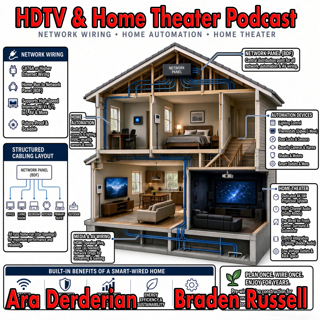
On this week's show Ara gives his impression of the new gear installed into his new home. We talk Internet, Home Networking, Automation, and Home Theater in an action packed show. We also read your em...

4 Sep 54min
Podcast #1267: Nick Brown and Smith Freeman of SVS Sound

Podcast #1267: Nick Brown and Smith Freeman of SVS Sound

Nick Brown and Smith Freeman of SVS Sound On today's show we have an interview with Nick Brown (VP of Marketing) and Smith Freeman (Senior Director of Product Management) at SVS Sound.  We discuss the...

28 Aug 40min
Podcast #1266: Ara's New Setup

Podcast #1266: Ara's New Setup

On today's show we discuss Ara's new family room TV and Audio setup and what his plans are for the future. We also read your emails and look at the week's news. News: Marantz Introduces The CINEMA S...

21 Aug 31min
Podcast #1265: Garage Doors - AV Receivers - Atmos in the Family Room

Podcast #1265: Garage Doors - AV Receivers - Atmos in the Family Room

On today's show we discuss Ara's garage door plan for integrating it into HomeKit, we help a listener decide on which receiver to buy, and we ask whether Atmos is worth it for a family room. We also r...

14 Aug 47min

Podcast #1264:  Family Room - 5.1 vs 7.2 what makes sense?

Podcast #1264: Family Room - 5.1 vs 7.2 what makes sense?

On today's show we take a look at your family room and decide whether a 7.2 system is worth it over 5.1. We also read your emails and catch up on the week's news. News:  How Valuable Is TV to Smalle...

7 Aug 20min

Podcast #1263: 2026 Value Electronics TV Shootout

Podcast #1263: 2026 Value Electronics TV Shootout

On this week's show we breakdown the Value Electronics 2026 TV Shootout and see who the new King TV is. We also read your emails and look at the week's news. News: LG is cracking down on smart TV ap...

31 Juli 35min

Podcast #1262: What is on the Home Theater Horizon

Podcast #1262: What is on the Home Theater Horizon

On this week's show we look into our crystal ball to see what is on the Home Theater Horizon. We also read your emails and take a look at the week's news. News: 2026 Value Electronics TV Shootout: S...

24 Juli 35min

Populärt inom Politik & nyheter

aftonbladet-krim
p3-krim
svenska-fall
fordomspodden
rss-krimstad
aftonbladet-daily
flashback-forever
en-runda-till
rss-vad-fan-hande
rss-sanning-konsekvens
politiken
svd-ledarredaktionen
rss-krimreportrarna
rss-flodet
rss-frandfors-horna
motiv
rss-utopia-2
omni-podd
the-power-meeting-podcast
spar